Architecture Overview
The biometric attendance system supports two sync modes — Agent Mode (Windows Sync EXE for traditional TCP/IP devices) and Push Mode (direct HTTP API for modern Wi-Fi devices). Both feed into the same processing pipeline.
Device Setup
Navigate to: School Panel → Biometric → Biometric Devices → Add New Device
| Field | Description | Required |
|---|---|---|
| Device Name | Human-readable name (e.g., "Main Gate Entrance") | ✅ |
| IP Address | Device LAN IP (e.g., 192.168.1.201) | ✅ |
| Port | TCP port (default 4370 for ZKTeco) | ✅ |
| Sync Mode | Agent (Windows EXE) or Push (HTTP API) | ✅ |
| Direction | Auto, In Only, or Out Only | ✅ |
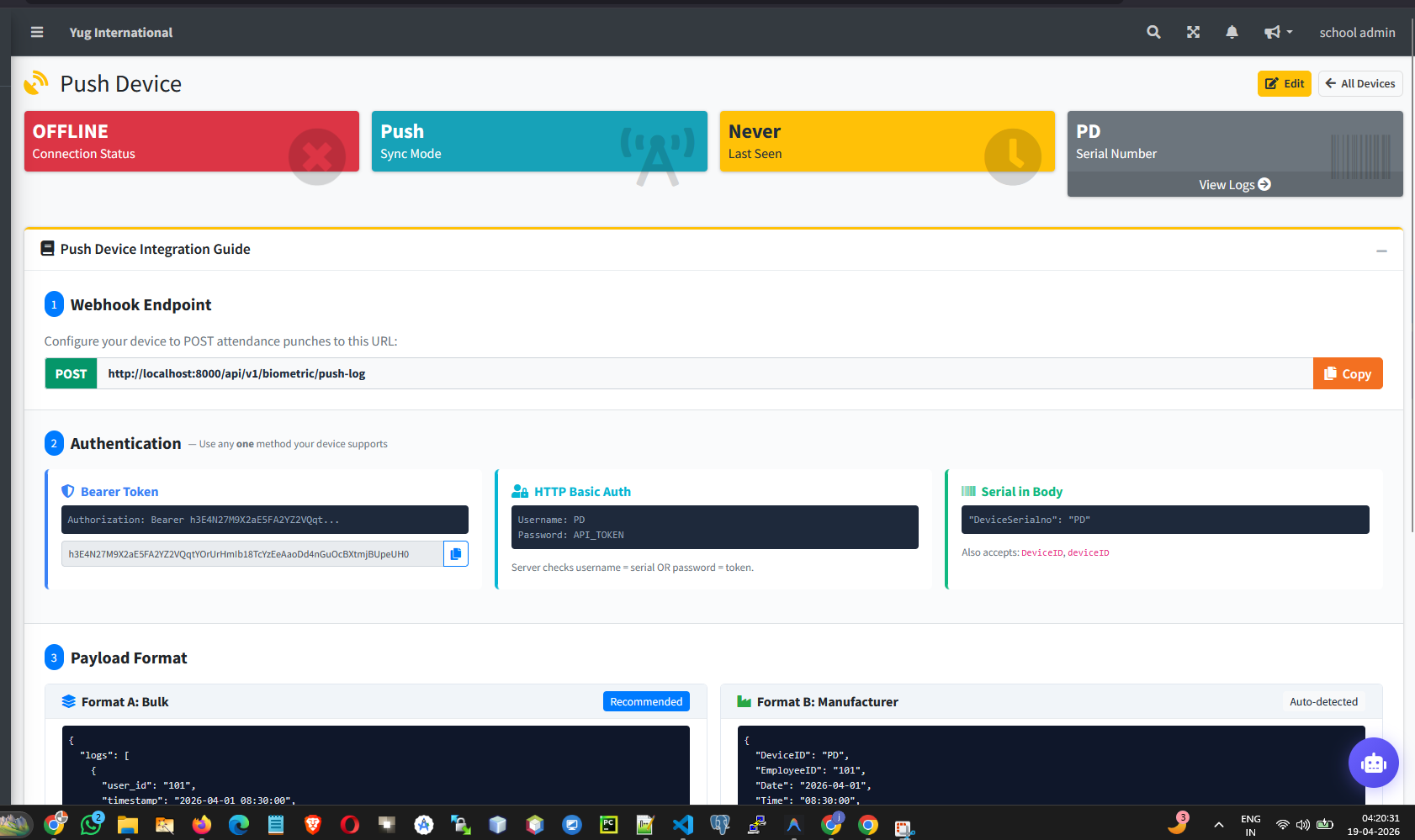
Push Mode — Direct HTTP API
For modern Wi-Fi devices that support webhooks:
POST /api/v1/biometric/push-log
Authorization: Bearer {DEVICE_API_TOKEN}
Content-Type: application/json

{
  "logs": [
    {"user_id": "1", "timestamp": "2026-03-12 08:05:00", "status": 0},
    {"user_id": "2", "timestamp": "2026-03-12 08:10:00"}
  ]
}
The server automatically deduplicates logs by (school_id + device_id + user_id + timestamp). You can safely send the same batch multiple times.
User Mapping
Biometric IDs mean nothing until you map them to students/staff:
- Navigate to Biometric Devices → your device → Control Panel → User Mapping
- Click the 🔗 Map button next to each biometric user
- Search and select the corresponding Student or Staff member
- Unmapped users are skipped — logs stored but not processed
Punch Time Windows
Configure in School Settings → Biometric Attendance Settings:
- With time windows — Punches outside both In/Out windows are ignored. First-in wins, last-out wins.
- Without time windows — Smart fallback: first punch = IN, last punch = OUT.
- Late detection — School Start Time + Grace Period determines Present vs. Late status.
Troubleshooting Quick Reference
| Issue | Fix |
|---|---|
| 401 Unauthorized | Copy the correct Device API Token from Edit Device page |
| 403 Forbidden | Set device status to Active and sync mode to Push |
| Logs exist, no attendance | Map biometric user IDs to students/staff |
| All marked "Present" | Configure School Start Time in settings |