Accounts Management
Maintain the generic Income and Expense ledgers that function independently of the Student Fee Engine.
Bank Account Binding: Every financial action in the
software (Collecting Fees, Recording Income, Generating Payroll) must be mapped to a core School
Bank Account for accurate consolidated reporting.
1. School Bank Accounts
Define the physical or logical storage locations for school funds.
- Go to Accounts > Bank Accounts.
- Click Add New Account.
- Input the Bank Name, Account Number, and Opening Balance. Ensure these match your physical bank records.
- Visibility: These accounts will immediately populate the 'Target Bank Account' dropdowns inside the Collect Fees and Expense modals.
2. Income & Expense Heads
Categorical tags required for the Admin Dashboard's financial pie charts.
Income Heads
For revenue unrelated to student tuition (e.g., "Auditorium Rent", "Alumni Donations", "Scrap Sale").
- Go to Accounts > Income Heads and define the categorical name.
- Go to Accounts > Expense Heads and define the categorical name.
- Go to Accounts > Income.
- Select the predefined Income Head.
- Enter the Payer's Name, Date, and Amount.
- Select the Target Bank Account where this money was deposited.
- (Optional) Securely upload the Proof of Income/Invoice image.
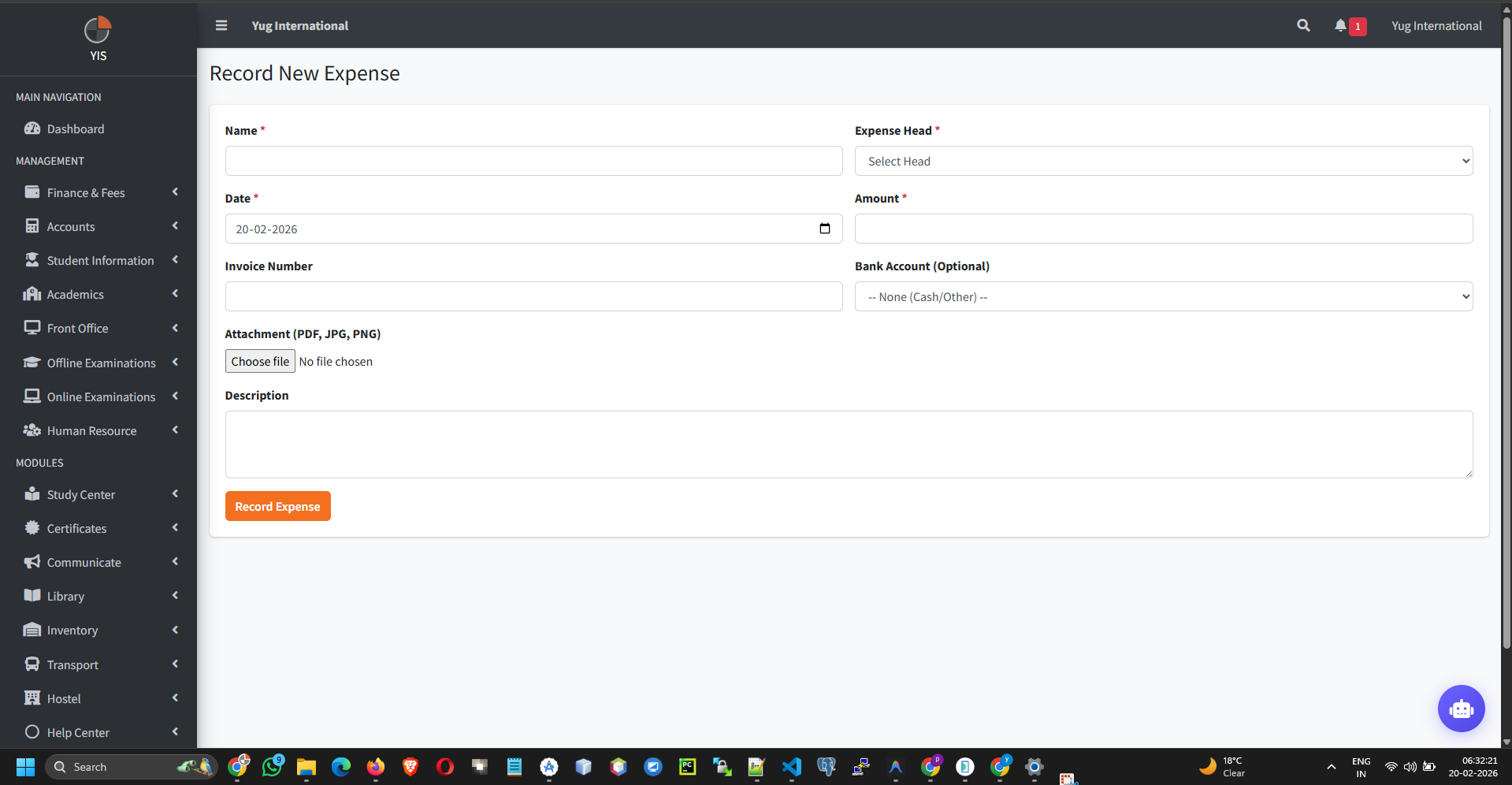
- Go to Accounts > Expense.
- Select the predefined Expense Head.
- Enter the Payee's Name, Date, and Amount.
- Select the Source Bank Account from which the funds were drawn.
- (Optional) Securely upload the Vendor's Invoice.
Expense Heads
For operational outflow (e.g., "Electricity Bill", "Bus Fuel", "Staff Welfare").
3. Recording Transactions
Logging the inflow and outflow of operational cash.
a. Add Income
Rule of Separation: Never log "Tuition
Fees" manually via the Income module. The `StudentFeeBase` handles tuition securely with attached parent
ledgers. Mixing them destroys the core accounting architecture.
b. Add Expense