Communication Module
Disseminate information rapidly using Notice Boards and robust multi-channel Background Broadcasts.
1. Notice Board & Teacher Lockouts
Post critical circulars to the respective dashboards of Students, Parents, or Staff.
- Go to Communication > Notice Board.
- Define the Title, Content, and select the specific `Recipient Type` (e.g., All Parents, Specific Class).
Teacher Lockout Rules: The `NoticeController` enforces
rigid bounds on Staff members. A logged-in Teacher is completely blocked from broadcasting to "All Parents"
or the "Entire School". They are algorithmically restricted to ONLY sending notices to the specific
Classes/Sections they are officially allotted to.
2. Multi-Channel Broadcasts
Engineered for massive-scale messaging without crashing the server.
- Go to Communication > Broadcast.
- Draft your message and select multiple concurrent channels (`Mail`, `SMS`, `WhatsApp`).
- Select your target group (e.g., "Parents with Due Fees").
Queue Offloading: Hitting 'Send' to 5,000 parents will not
freeze your browser. The `BroadcastController` instantly hands the payload off to the
`ProcessBroadcast::dispatch` background job, which handles the heavy API calls silently in the background.
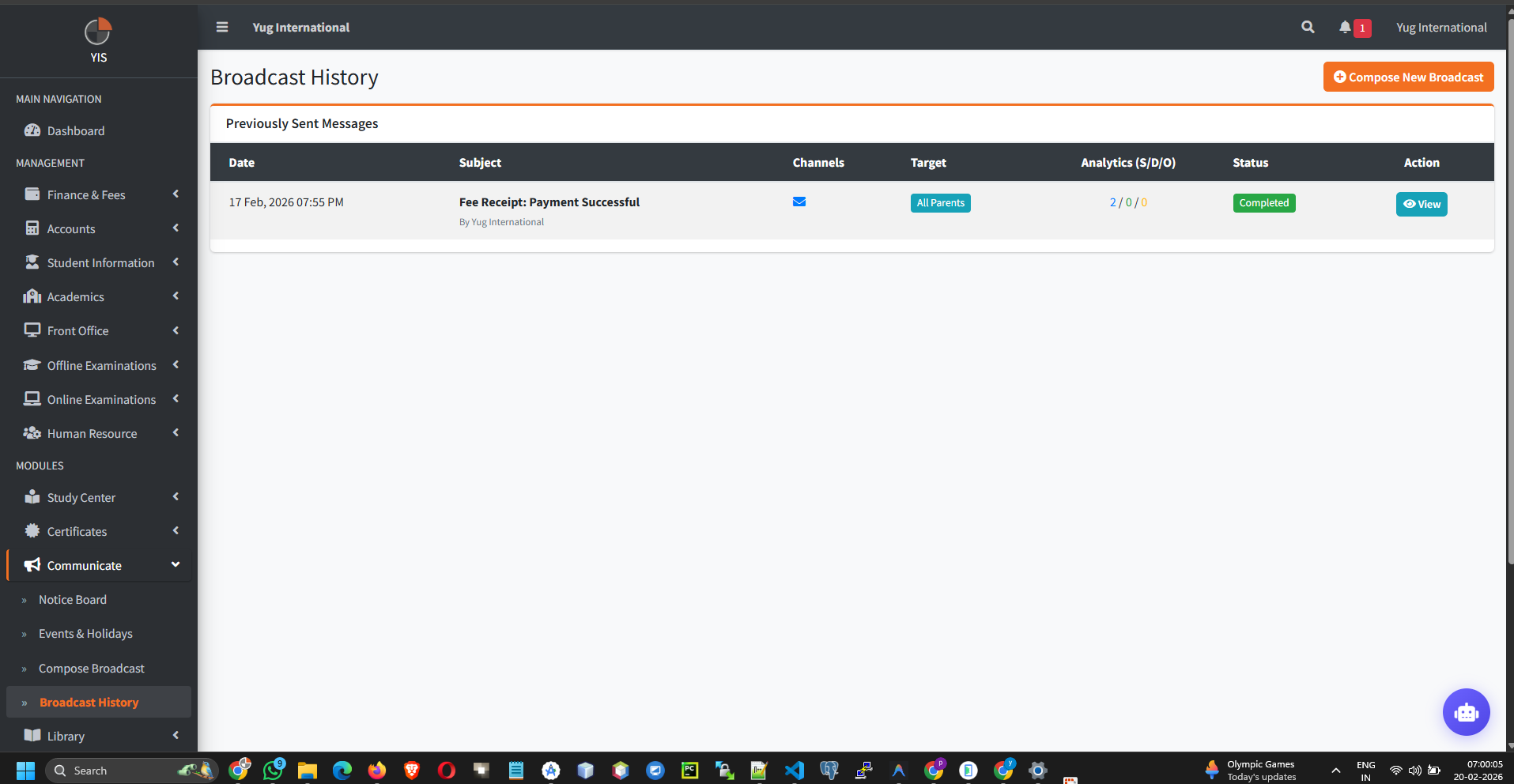
You can monitor real-time delivery analytics (Sent, Delivered, Opened, Failed) from the Broadcast History dashboard.
3. Event Calendar
Manage holidays, exams, and celebrations appearing on the global dashboard calendar.
- Go to Communication > Events. Create an Event or Holiday.
- Targeting: Events don't have to be school-wide. The `EventController` strictly supports Polymorphic relations (`eventable`), allowing you to assign a specific field trip event ONLY to a specific `SchoolClass`.