Human Resource Management
Complete oversight of staff onboarding, strict deletion protocols, payroll execution, and attendance tracking.
Start Here: The foundation of HR is structural. Define your
Departments (e.g., Science, Admin) and Designations (e.g., HOD, Clerk)
before adding any staff members.
1. Staff Directory & Onboarding
Adding staff properly ensures they receive the correct system permissions automatically.
- Go to Human Resource > Staff Directory.
- Click Add Staff.
- Role Binding: Select the system role (`Teacher`, `Accountant`, `Librarian`). This drop-down automatically maps to Spatie's Role permissions, granting them exact dashboard access.
- Basic Info & Contracts: Fill out their core details. You can securely upload their Resume/Joining Letter, which is safely stored with path-traversal sanitization.
- Click Save.
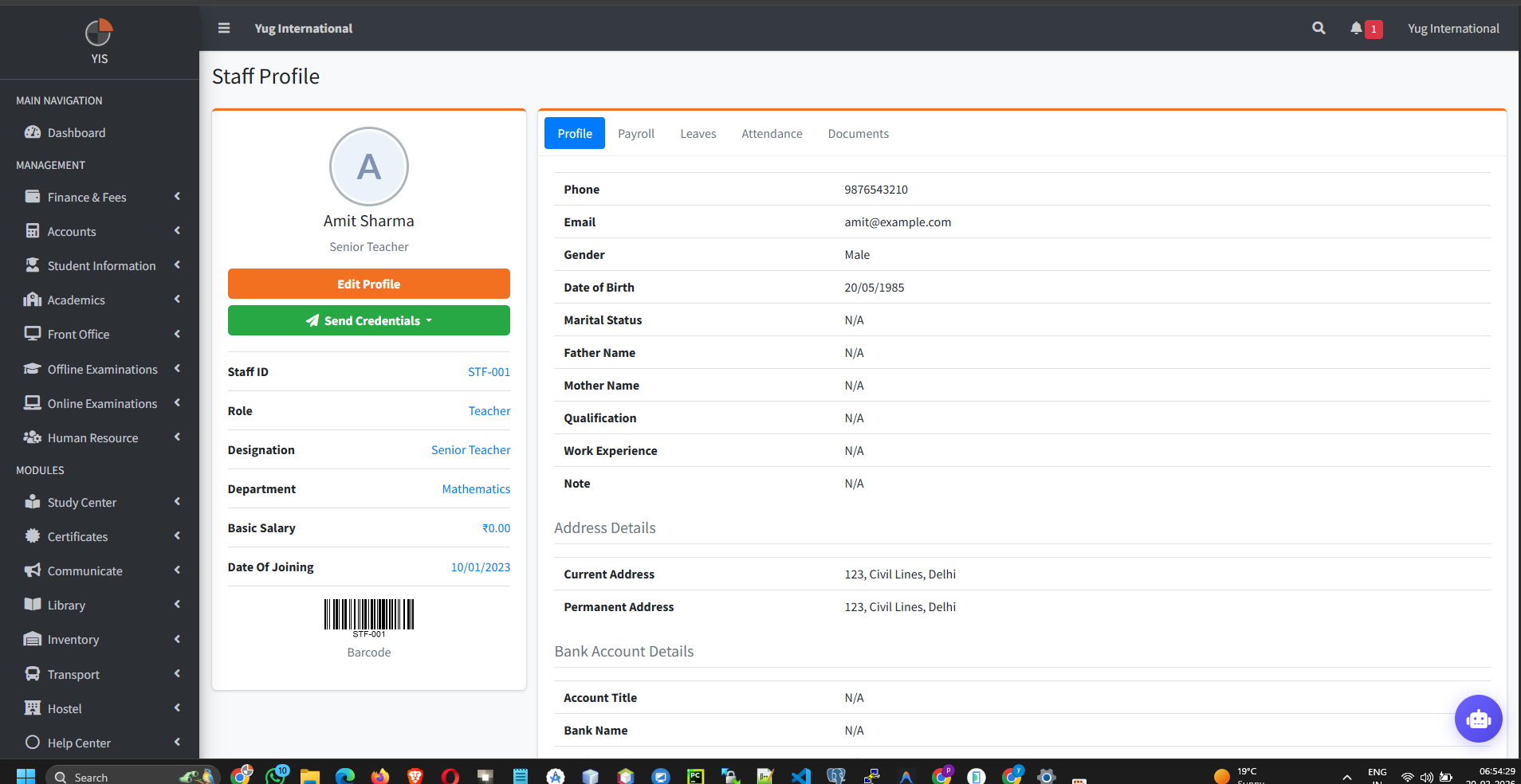
Generating Credentials: Once the staff is saved, go to their
profile and hit Send Credentials. The HR Controller generates a secure, randomized
10-character password and dispatches it immediately via Email/WhatsApp. The password is never stored in
plain-text.
2. The "Deletion Lock" Protocol
The system actively prevents you from accidentally wrecking your academic or financial databases by deleting active staff.
If you attempt to delete a staff member, the system will block the action and throw an error if any of the following are true:
- Paid Payroll: They possess a historical payroll record marked as
Paid. Hard-deleting them would break accounting ledgers. - Class Teacher: They are currently assigned as the active Class Teacher for any section. You must reassign the class first.
- Subject Allocation: They are actively mapped to teach subjects in the academic timetables.
- Timetable Slots: They hold active periods in the weekly schedule.
3. Attendance & Payroll Synchronization
Payroll is not generated in a vacuum; it reads live attendance data.
Attendance Logging
- Manual: Process daily records via HR > Staff Attendance.
- Biometric: Devices like ZKTeco push live check-in logs straight into the database, automating present/absent states.
Payroll Generation
- Go to Human Resource > Payroll.
- Select the Role, Month, and Year.
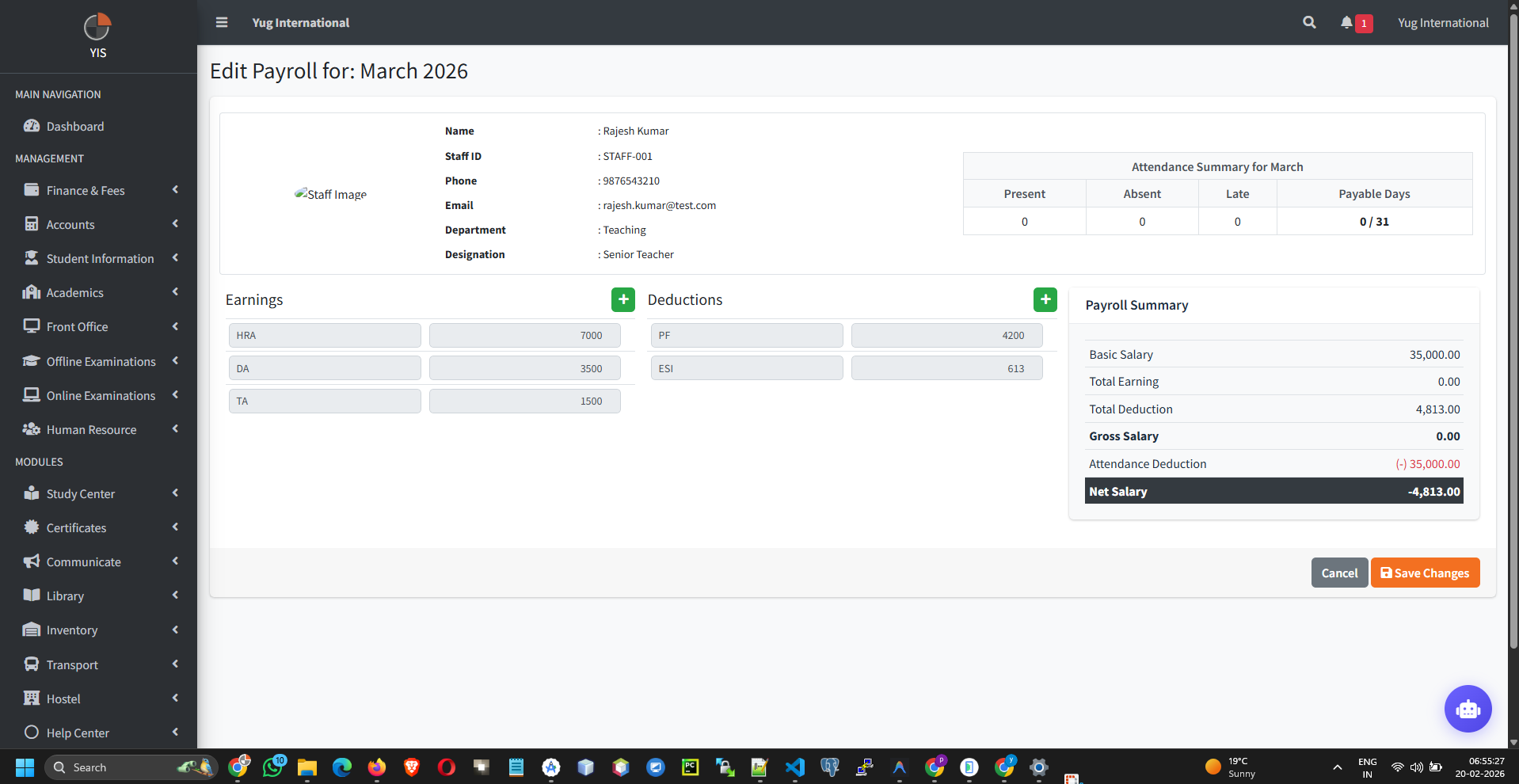
- Click Generate Payroll for an employee.
- Dynamic Calculation: The system tallies Earnings (Basic, HRA) against Deductions (Tax, PF). If Attendance dictates leave without pay, adjust deductions accordingly.
- Once calculated, commit the transaction to lock the payroll slip.
4. Leave Management Workflow
Digitizing physical paper trails for time off.
- Requesting: A teacher logs into their portal and submits a request tied to pre-defined Leave Types (e.g., Casual Leave, Medical).
- Approval: The School Admin receives an alert, views the pending requests under HR > Approve Leave, and selects Approve or Reject.
- Sync: Approved leaves automatically inform the Attendance register, marking them appropriately on those dates.