Inventory Management
Maintain real-time ledgers of physical assets (uniforms, lab equipment, stationary) and track their issuance to Staff.
1. Catalog & Stock Ingestion
Before issuing items, establish the inventory parameters.
- Categories: Go to Inventory > Item Category. Group assets logically (e.g., 'Consumables', 'Electronics').
- Items: Go to Item List. Create specific definitions like "Chalk Box" or "Projector".
- Stock Processing: Items are created with 0 stock. You must use the 'Add Stock' function to declare purchases. The system increments the `stock_quantity` variable based on these historical purchase records.
Historical Delete Locks: The `ItemController` forbids the
deletion of any Item entity that currently has "Pending Issues" (items out in the field). Items with
historical returned records can be deleted, but this triggers a silent cascade removal of that
item's history.
2. Item Issuance & Returns
Distributing assets to Staff members.
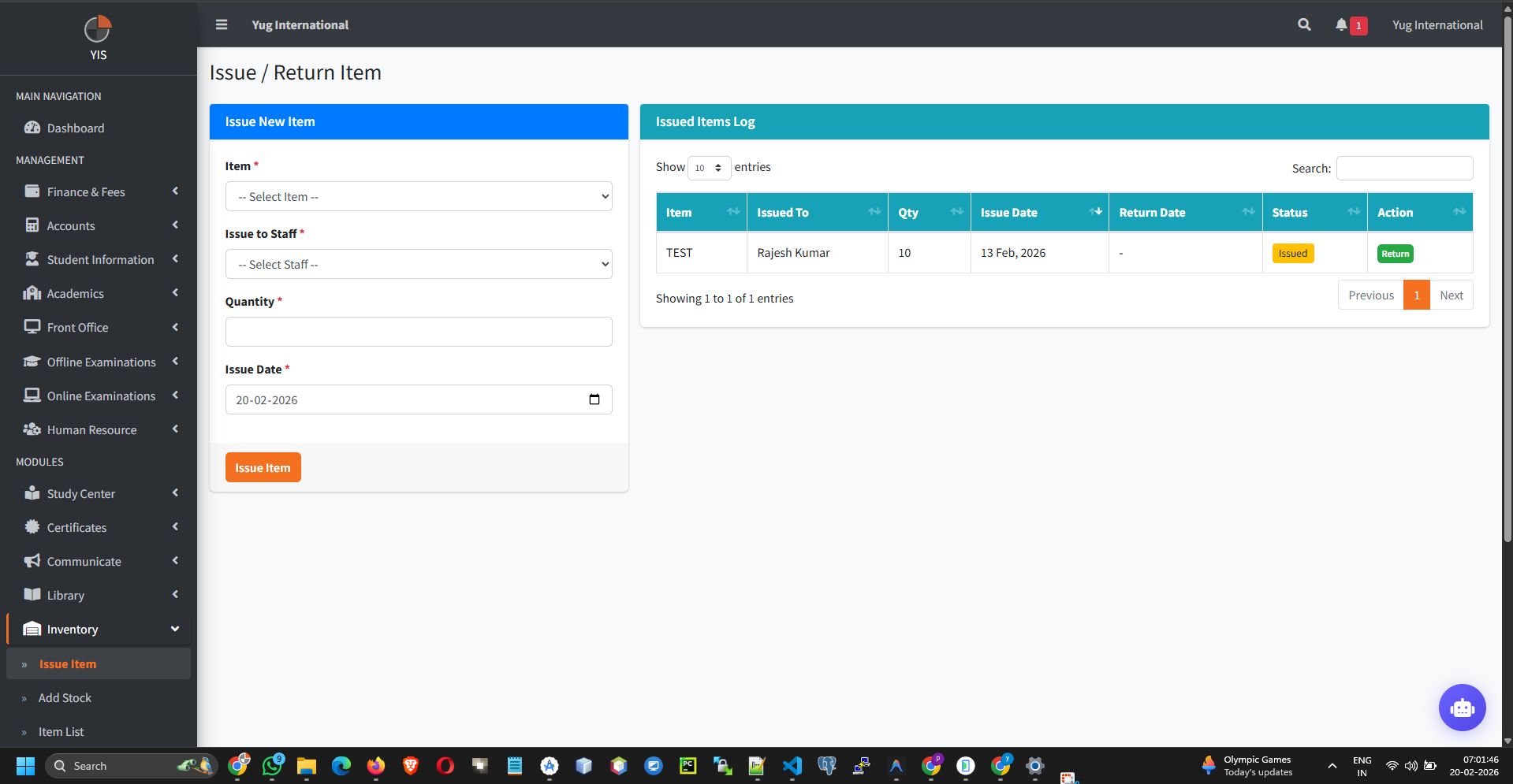
- Go to Inventory > Issue Item.
- Select the target Staff Member and the specific Item.
- Negative Quantity Guard: The `ItemIssueController` performs a strict pre-flight check during `store()`. If the requested issue `quantity` exceeds the current `stock_quantity` of that item, the transaction is immediately rolled back and blocked.
- Transaction Logging: Upon successful issue, the system decrements the Item's main quantity and logs a timestamped issuance record.
Returning Issued Items
When an asset (like a laptop or keys) is returned:
- Locate the pending issue record in the ledger.
- Click Return.
- The controller timestamps the return and automatically recirculates the stock by incrementing the Item's `stock_quantity`. Standard double-return prevention logic is enforced here.