Library Management
Catalog inventory, process bulk uploads, and manage strict cross-role circulation protocols.
1. Cataloging Books
Digitize your library stock.
- Categories: Go to Library > Book Categories to define your genres (Fiction, Reference, Journals).
- Manage Books: Click Add Book. Input standard bibliographic data (Title, ISBN, Publisher).
- Stock Integrity: The `Quantity` field represents Total Owned. The system automatically tracks the `Available Quantity` behind the scenes as books are issued. If you attempt to edit a book's quantity to be less than the number currently issued to students, the `LibraryBookController` will throw an error to prevent negative stock logic.
Bulk Upload: The system features a robust CSV/Excel
importer engineered using `PhpSpreadsheet`. It maps headers automatically and will reject rows if the
specified `Category Name` does not pre-exist in the database.
2. Circulation (Issue & Return)
The core daily operation of the Librarian.
Circulation Rules:
1. Stock Check: If `available_quantity` hits 0, the Issue button is disabled.
2. Duplicate Guard: A member (Staff or Student) cannot be issued the exact SAME book twice simultaneously. You must return the first copy before issuing another.
3. Delete Lock: A book cannot be deleted from the database if there is even one active, unreturned issue record attached to it.
1. Stock Check: If `available_quantity` hits 0, the Issue button is disabled.
2. Duplicate Guard: A member (Staff or Student) cannot be issued the exact SAME book twice simultaneously. You must return the first copy before issuing another.
3. Delete Lock: A book cannot be deleted from the database if there is even one active, unreturned issue record attached to it.
Issuing a Book
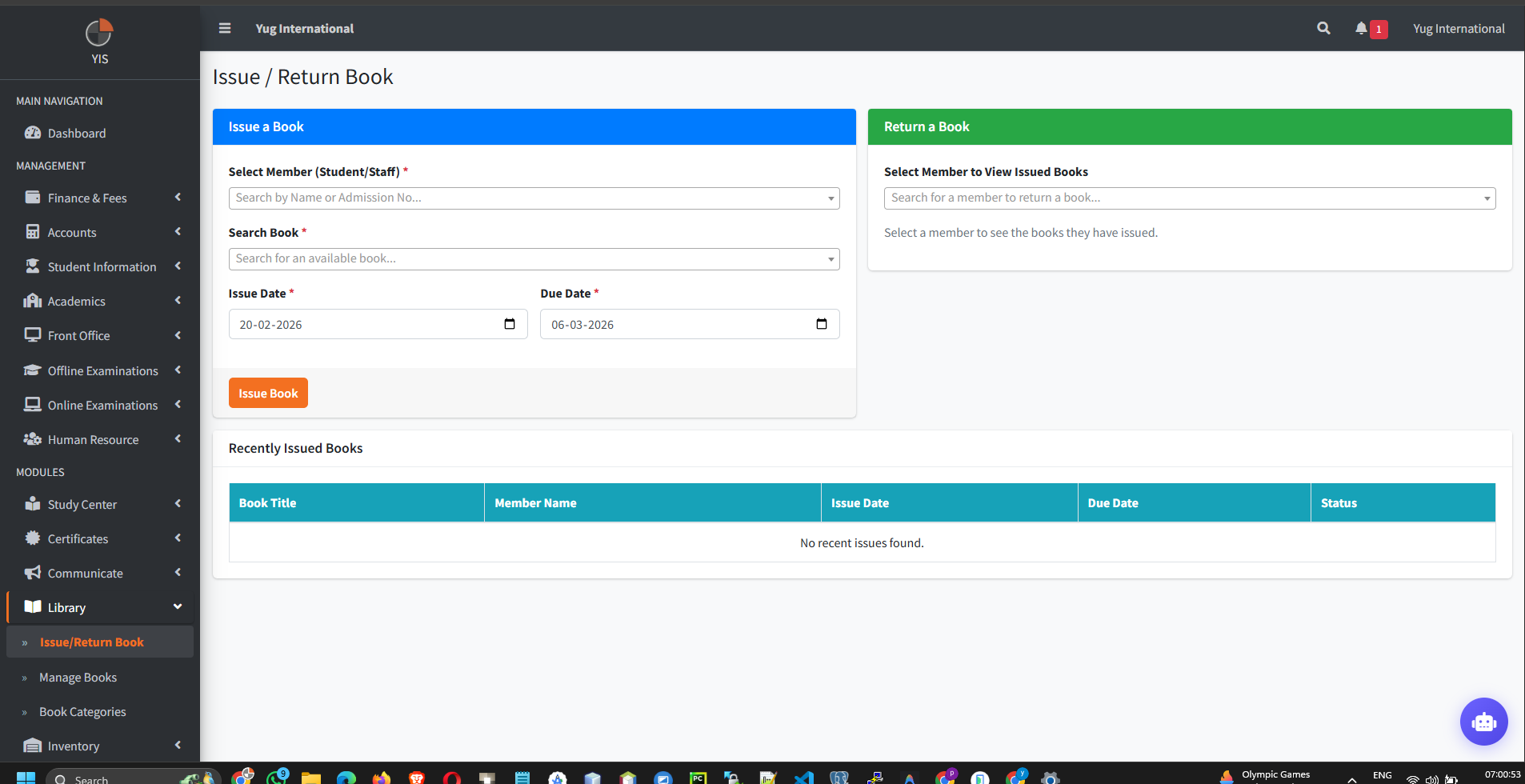
- Go to Library > Issue/Return.
- Cross-Role Searching: The search bar bridges two massive tables (`Students` and `Staff`). The AJAX controller (`BookIssueController`) safely returns formatted data distinguishing between a Student and a Teacher.
- Select the User, Search for the specific Book (which displays Rack Numbers for easy physical locating), and set the Due Date.
Returning a Book
- Find the active issue record in the list.
- Click Return.
- The system instantly timestamps the `return_date` and increments the Book's `available_quantity`. The UI strictly prevents "Double Returns" via AJAX safeguards.