Offline Examinations Management
A strictly controlled module for planning exams, entering marks, and generating weighted report cards using the Browsershot PDF engine.
Weighted Average Architecture: Instead of simple sums,
this system calculates final grades by applying percentage weights to multiple exams (e.g., Term 1 counts
for 30%, Finals count for 70%).
1. Infrastructure Setup
Before any marks can be entered, the foundation must be built.
- Exam Entity: Go to Offline Exams > Manage Exams and create the master event (e.g., "Annual Examination 2025").
- Exam Types (Components): Go to Exam Types. Create the foundational blocks like 'Theory', 'Practical', or 'Viva'.
2. Schedule & Marks Setup Critical
You must define exactly what a test is out of, or the system will reject all marks.
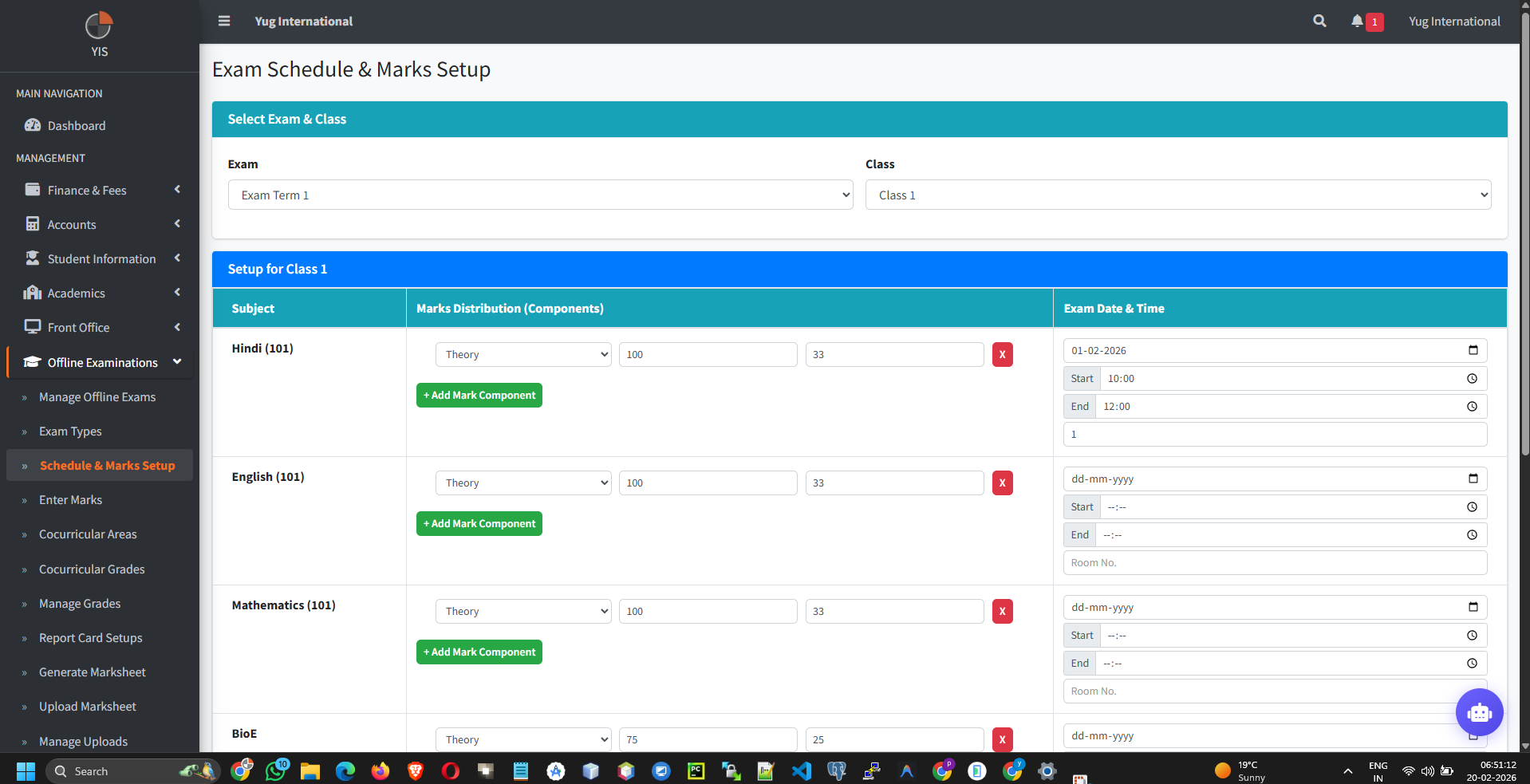
- Go to Offline Exams > Schedule & Marks Setup. Select Exam and Class.
- For each subject in the grid, add the Date and Time.
- Marks Distribution: Add your Exam Types (e.g., Theory). Define the Max Marks (e.g., 80) and Pass Marks (e.g., 26).
3. Marks Entry & Security Restrictions
The `ExamMarksController` enforces strict role-based access control to prevent tampering.
Teacher Lockout Rules: If a user is logged in as a
Teacher, the controller actively blocks them from saving marks unless TWO conditions are met:
1. They are explicitly allotted to the Class/Section via HR settings.
2. They are actively assigned to teach that specific Subject in that Section via the Timetable.
1. They are explicitly allotted to the Class/Section via HR settings.
2. They are actively assigned to teach that specific Subject in that Section via the Timetable.
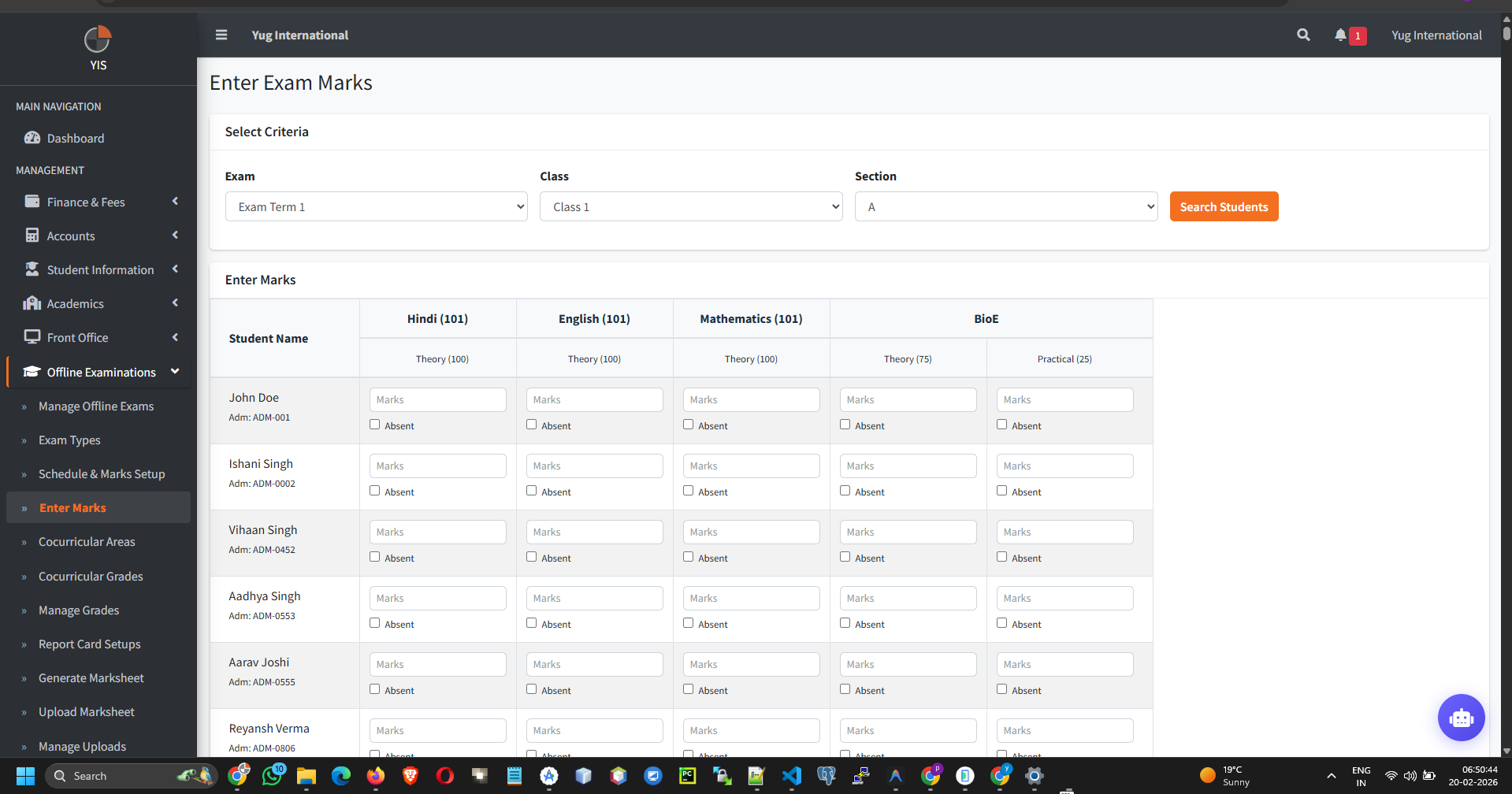
- Go to Offline Exams > Enter Marks.
- Search for the class. The columns will dynamically generate based on the "Marks Setup" done in Step 2.
- Validation: The UI and Backend will immediately reject any score higher than the defined Max Marks.
- Absenteeism: Set the attendance dropdown to `Absent`. The system automatically nullifies their marks obtained to prevent calculation skewing.
4. Report Card Synthesis
Transforming raw marks into printable PDFs.
- Cocurricular & Grades: Ensure you have mapped non-academic grades (Sports/Arts) and defined your GPA logic under the respective menus.
- Report Card Setup: Create a template. Select which Exams to pull data from and assign their final weightage (Sum must be 100%). Pubish the setup.
- Generate Marksheet: Go to the Generator, pick the Setup, and click Download. The system aggregates all marks, calculates the weighted average, looks up the Grade scale, and pushes the data through the high-fidelity Browsershot PDF renderer.