Study Center Management
The digital hub for distributing Syllabus files, tracking Homework evaluations, and hosting Live Classes.
1. Syllabus & Study Materials
Provide 24/7 access to curriculum guidelines and notes.
- Syllabus: Under Manage Syllabus, upload PDF/Docx files binding them to specific Classes and Subjects. This maps directly to the Student Portal.
- Study Materials: Upload lectures (PDF, JPG) or embed secure YouTube/Vimeo URLs.
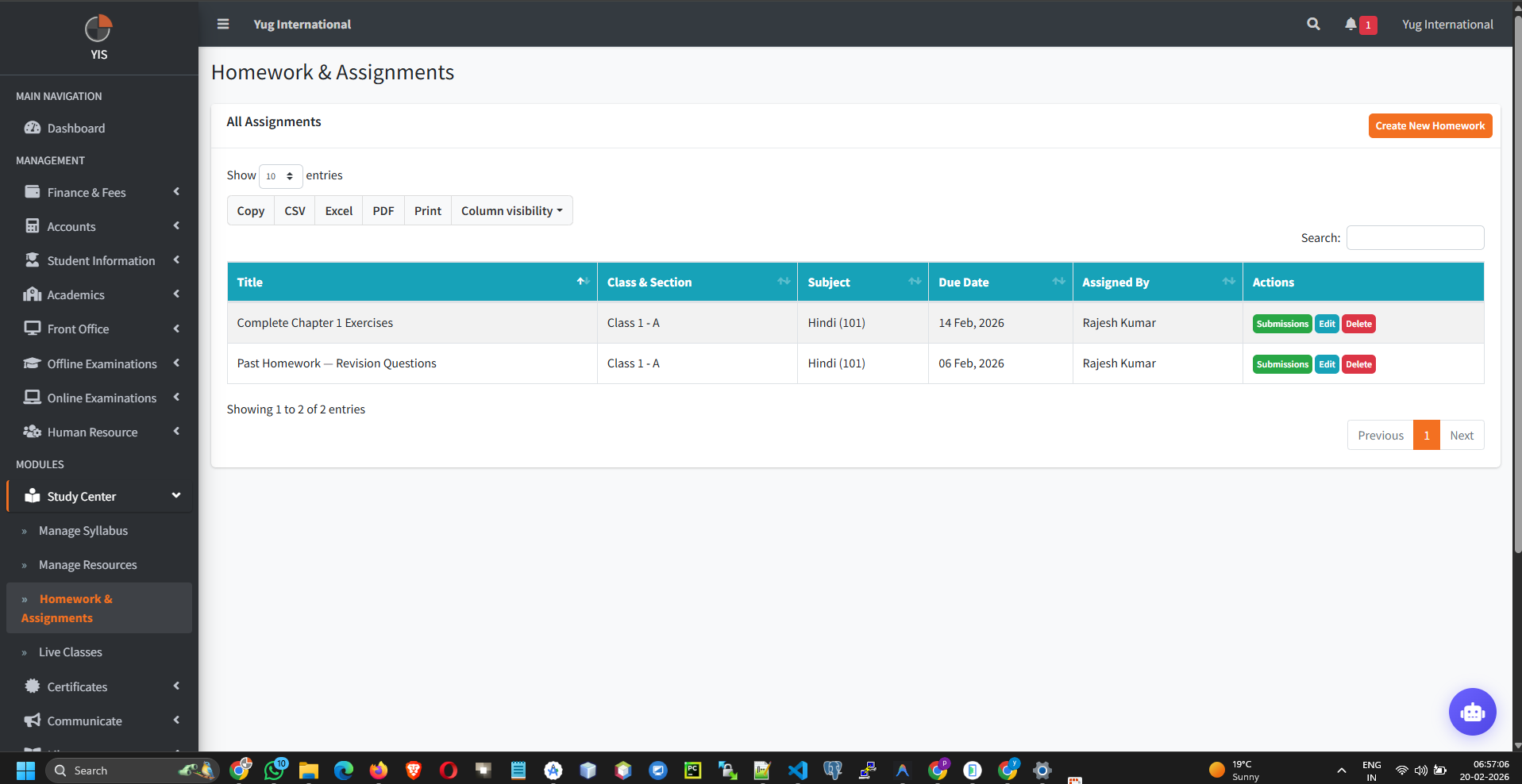
- Assignment: Go to Homework > Add. Select the Class, Section, and Subject.
- Staff Binding: You MUST assign a specific Staff member/Teacher to the homework. They become the owner of that assignment.
- Set the strict Due Date and attach any reference files.
- Click the green Submissions button next to a homework task.
- Click Evaluate next to a student.
- Input Marks and Remarks.
- Accountability Log: The database permanently stamps the `evaluated_by` column with the specific Staff ID of the person who graded it, preventing unauthorized tampering of grades.
- Go to Study Center > Live Classes.
- Create an event binding it to a Date, Time, and Class/Section.
- Select the pre-configured API Integration (Zoom or Google Meet) from the dropdown.
- The system generates the meeting bridge and publishes it directly to that section's Student App dashboard automatically.
2. Tracking Homework & Evaluations
Deploy assignments and maintain accountable grading trails.
Automated Broadcasting: Upon creation, the
`HomeworkController` immediately drops a payload into the Queue (`SendHomeworkNotifications::dispatch`),
blasting out SMS/Email/Push alerts to all parents in that section.
The Evaluation Trail
Once students upload their homework files, teachers must grade them.
3. Live Classes (Zoom/Meet Integration)
Bridge the gap for remote learners.