AI Analytics
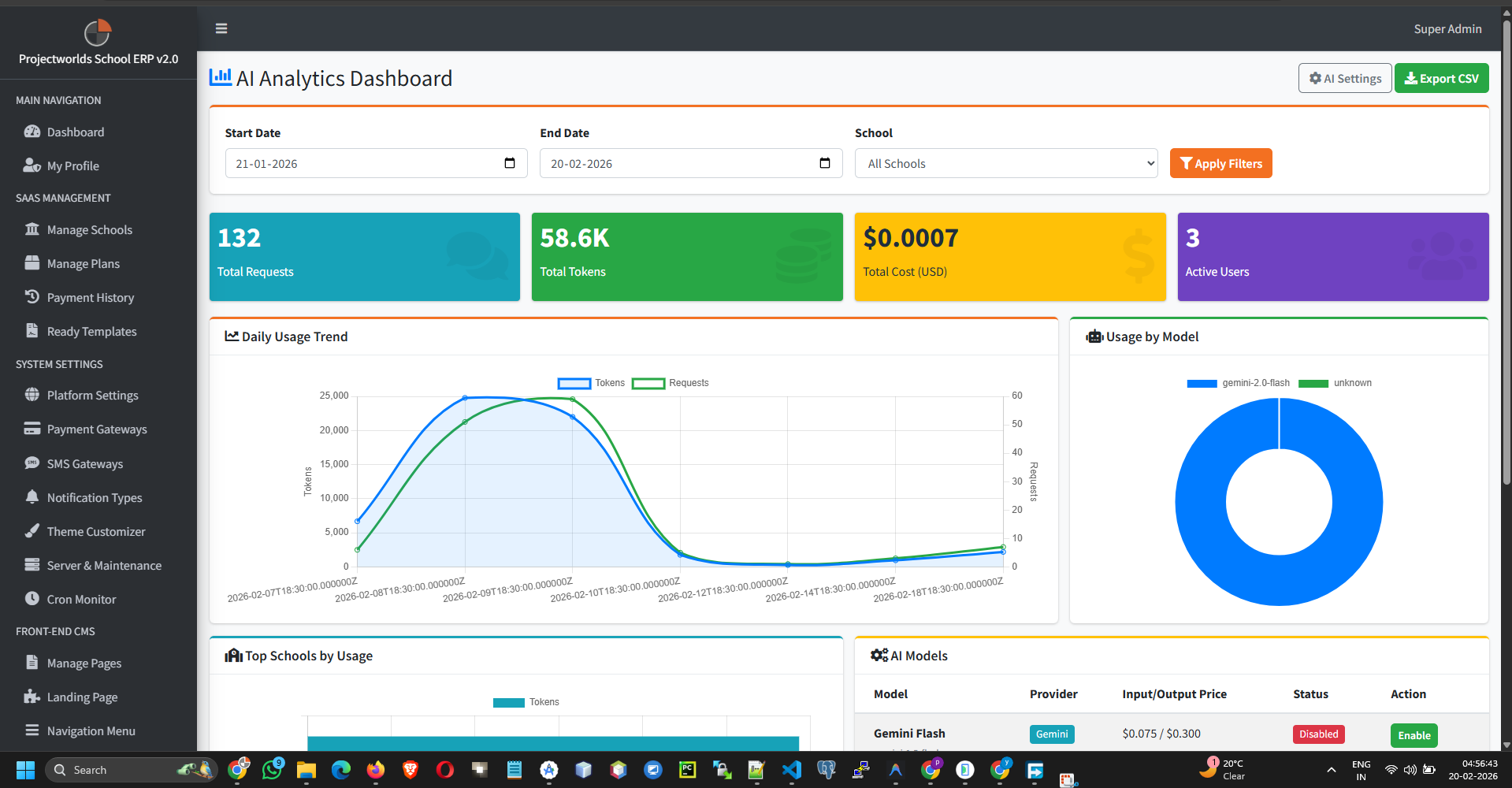
Monitor the usage and performance of AI features employed across your schools.
Note: AI usage often correlates with API costs (e.g.,
OpenAI tokens). Use this panel to track consumption.
1. Usage Dashboard
The overview provides key metrics:
- Total Requests: Number of AI queries made.
- Token Usage: Total input/output tokens consumed.
- Active Schools: Number of schools utilizing AI features.
- Top Models: Which models (e.g., GPT-3.5, GPT-4) are most used.
2. Model Management
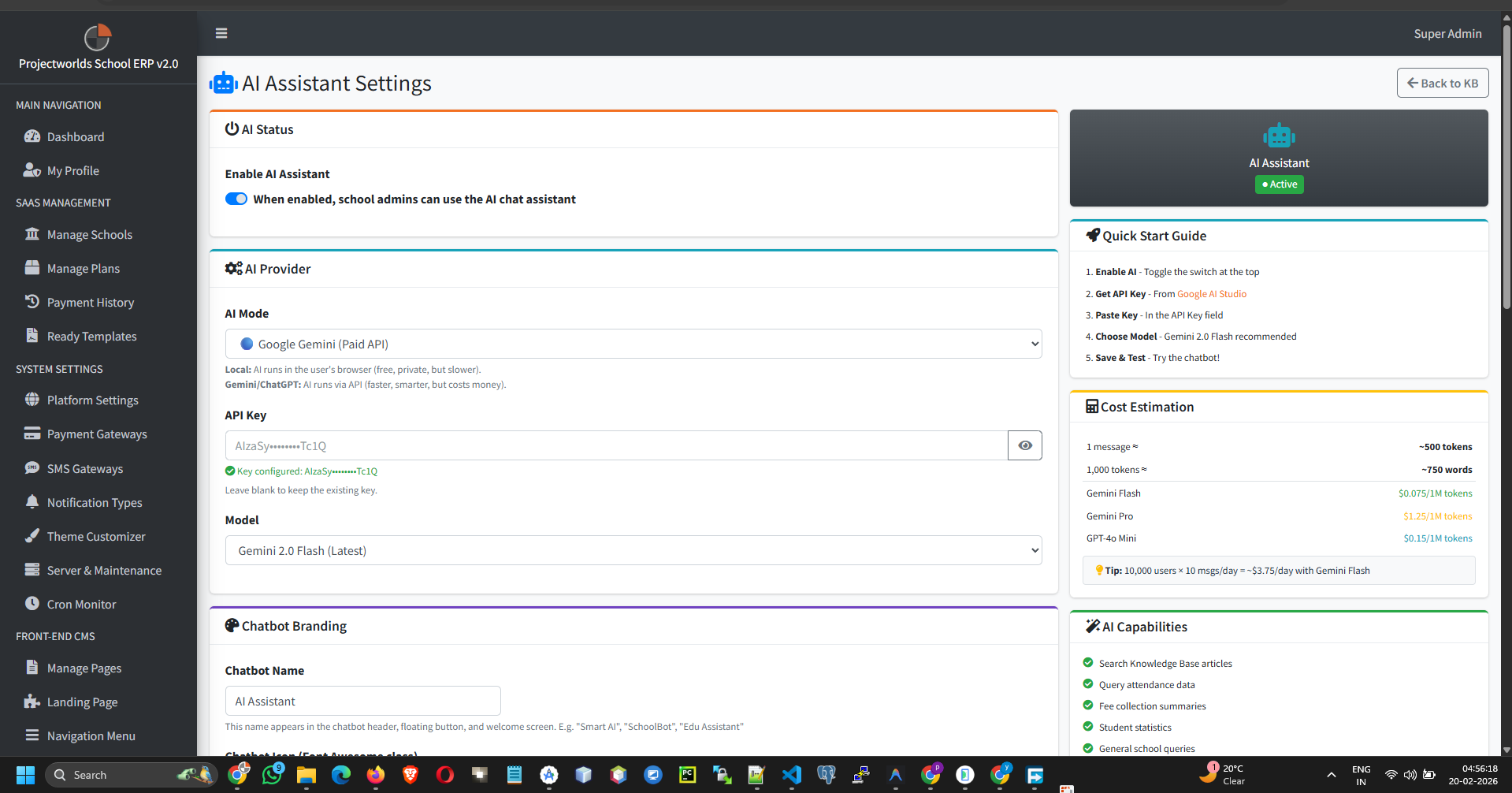
Control which AI models are available to schools:
- Toggle Availability: Enable or disable specific models.
- Aliases: Set user-friendly names for models.
3. Usage Limits
Prevent cost overruns by setting limits:
- Click Limits.
- Set a Monthly Token Cap per school or globally.
- Set a Request Limit.
- Click Save.
Warning: When a limit is reached, AI features will
temporarily stop working for that entity.