Payment Gateways
Configure and manage multiple payment gateways to accept online payments for subscriptions.
Supported Gateways: This system typically supports
Stripe, PayPal, Razorpay, Paystack, and others.
1. Gateway Overview
The main page lists all integrated payment gateways with their current status (Enabled/Disabled) and processing mode (Live/Sandbox).
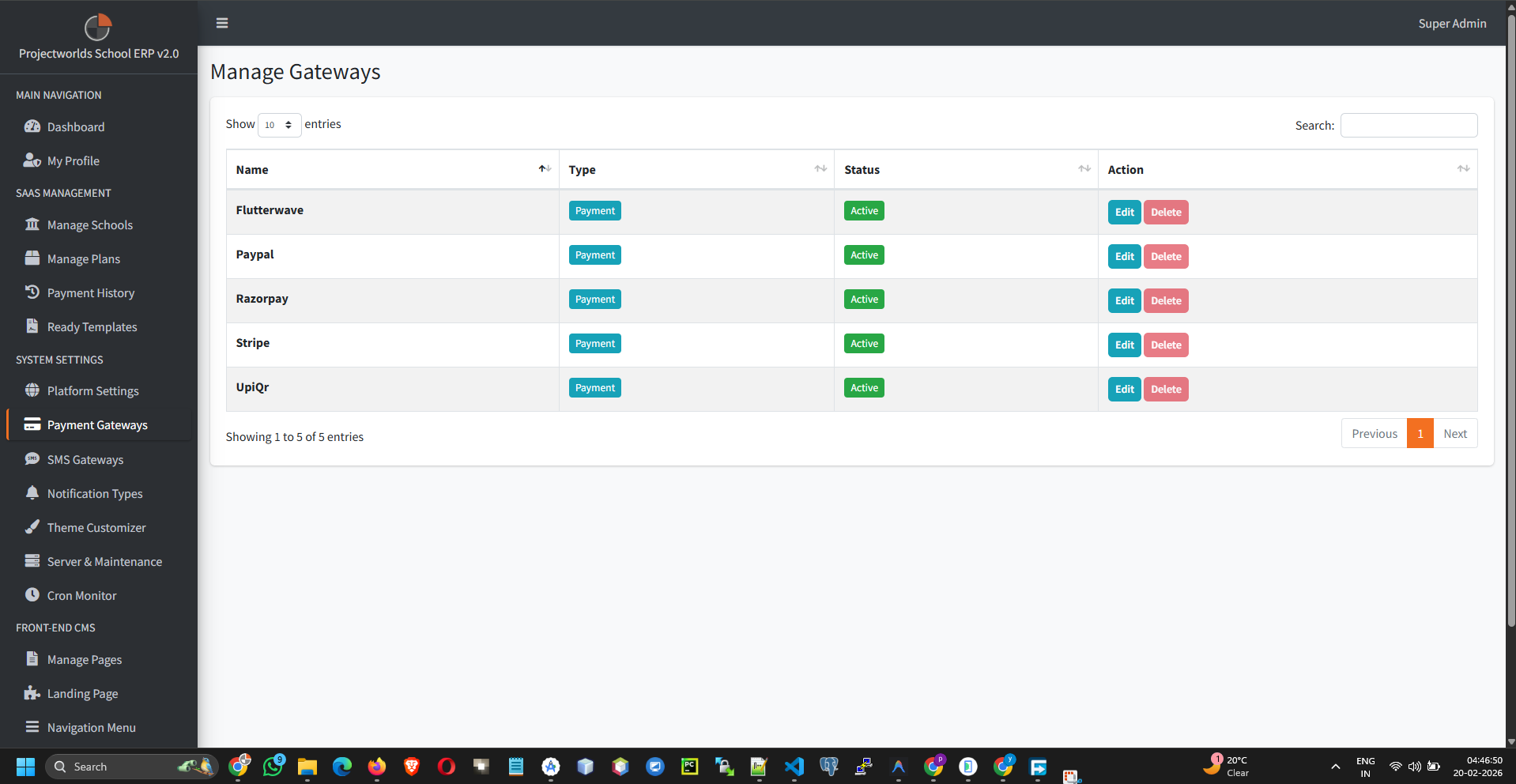
2. Configuring a Gateway
To set up a payment method (e.g., Stripe):
- Find the desired gateway in the list.
- Click the Edit button.
- Fill in the credential fields:
- Gateway Status: Enable or Disable.
- Mode: Sandbox (Test) or Live (Production).
- API Key / Publishable Key: Provided by your gateway provider.
- Secret Key: Keep this secure!
- Webhook Secret (Optional): For asynchronous payment confirmation.
- Click Update to save the credentials.
Security: Never share your Secret Keys. Ensure your site uses
HTTPS to process payments securely.
3. Testing Payments
Before going live:
- Set the gateway mode to Sandbox.
- Use test card details provided by the gateway (e.g., Stripe's 4242 4242 4242 4242).
- Attempt a purchase from a test school account.
- Verify the transaction in your gateway dashboard.