Landing Page Management
Customize the frontend landing page that prospective schools see before registering. Manage sections, content, and layout.
Note: Changes here update the public-facing website
immediately.
1. Managing Sections
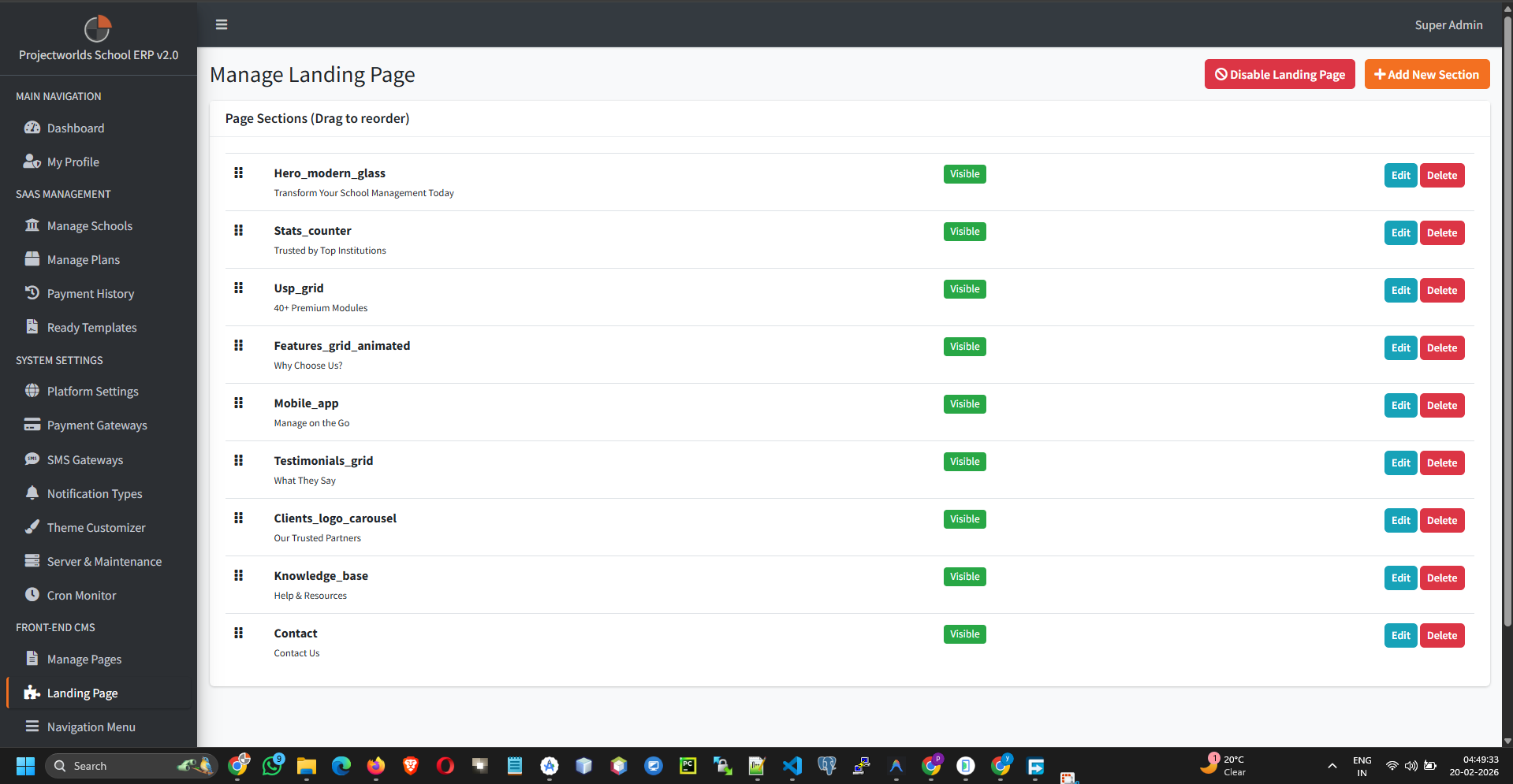
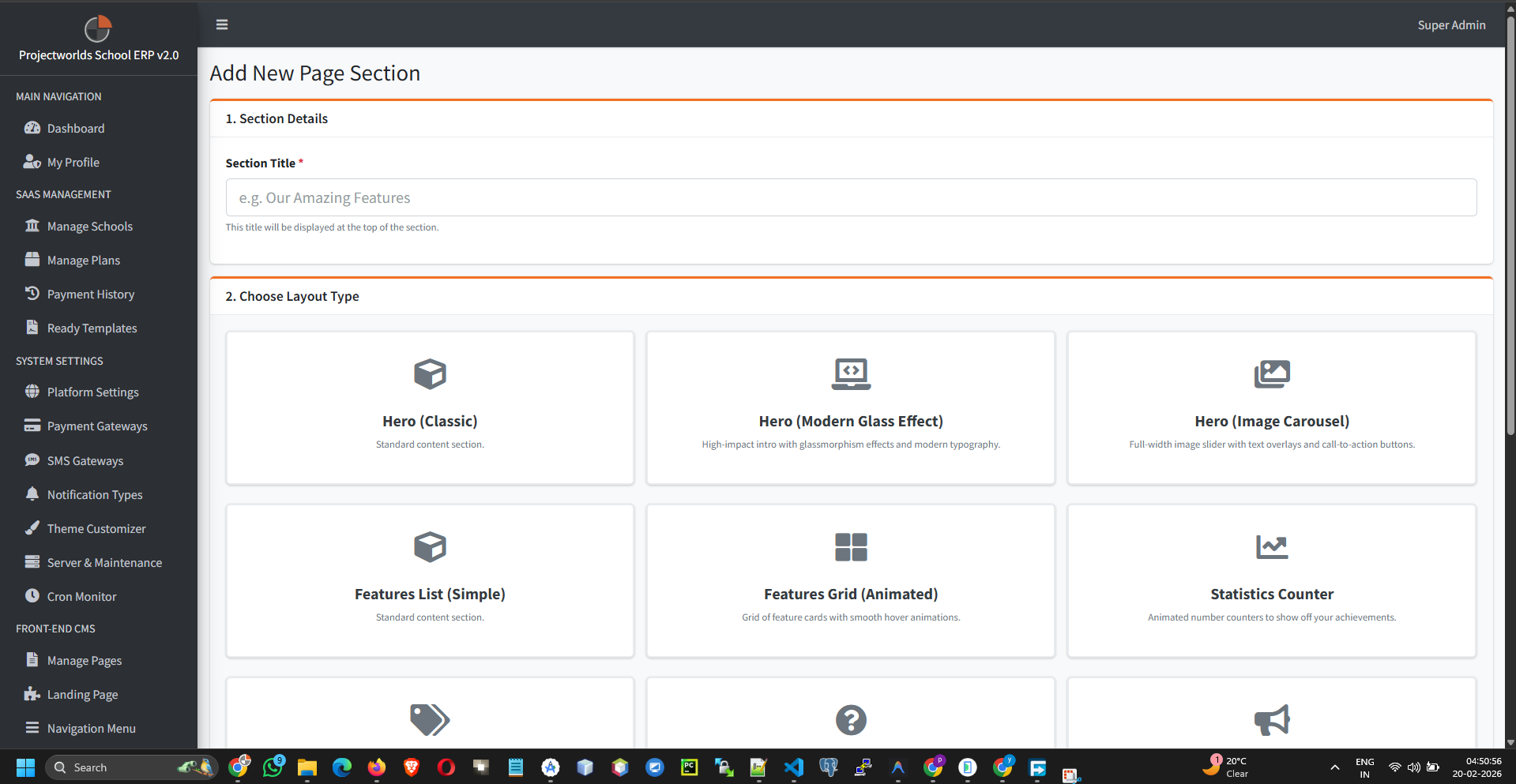
The landing page is composed of modular sections (e.g., Hero, Features, Testimonials, FAQ).
- Visibility: Use the toggle switch to show or hide specific sections.
- Reorder: Drag and drop sections to change their display order.
2. Editing Content
To update the text or images within a section:
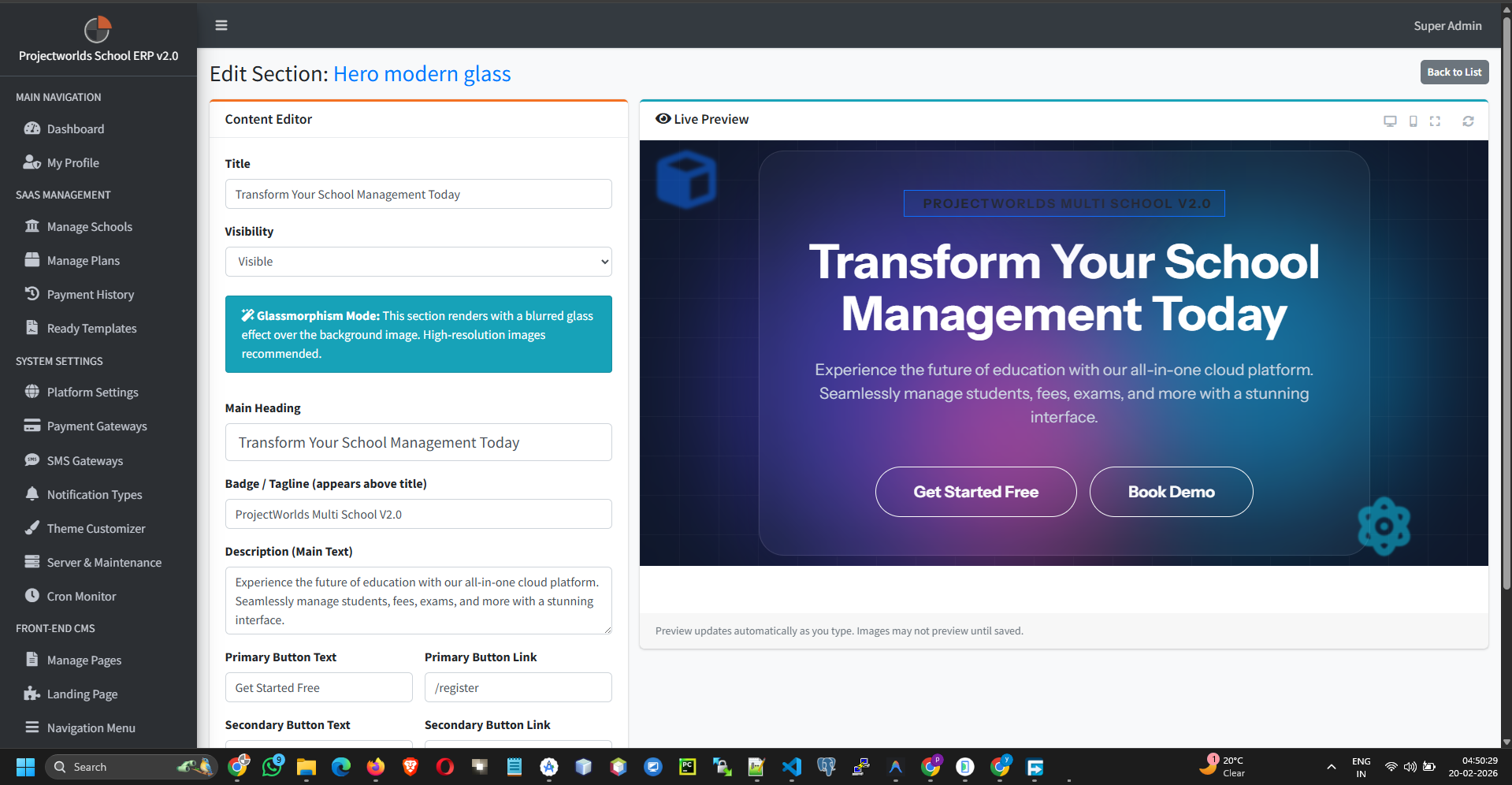
- Click the Edit button next to a section (e.g., "Hero Section").
- Update the Heading, Subheading, and Main Content.
- Upload Images: Replace existing graphics with new ones if needed.
- Click Update to save changes.
3. Previewing Changes
Before saving, you can often preview how the changes will look:
- Make your edits.
- Click the Preview button (if available).
- Verify the layout and text.
Tip: Always check the landing page on mobile devices to ensure
responsiveness.