Custom Pages
Create and manage additional static pages (e.g., Privacy Policy, Terms of Service, About Us) for your website.
Note: Pages created here can be linked in the frontend
menu.
1. Pages Overview
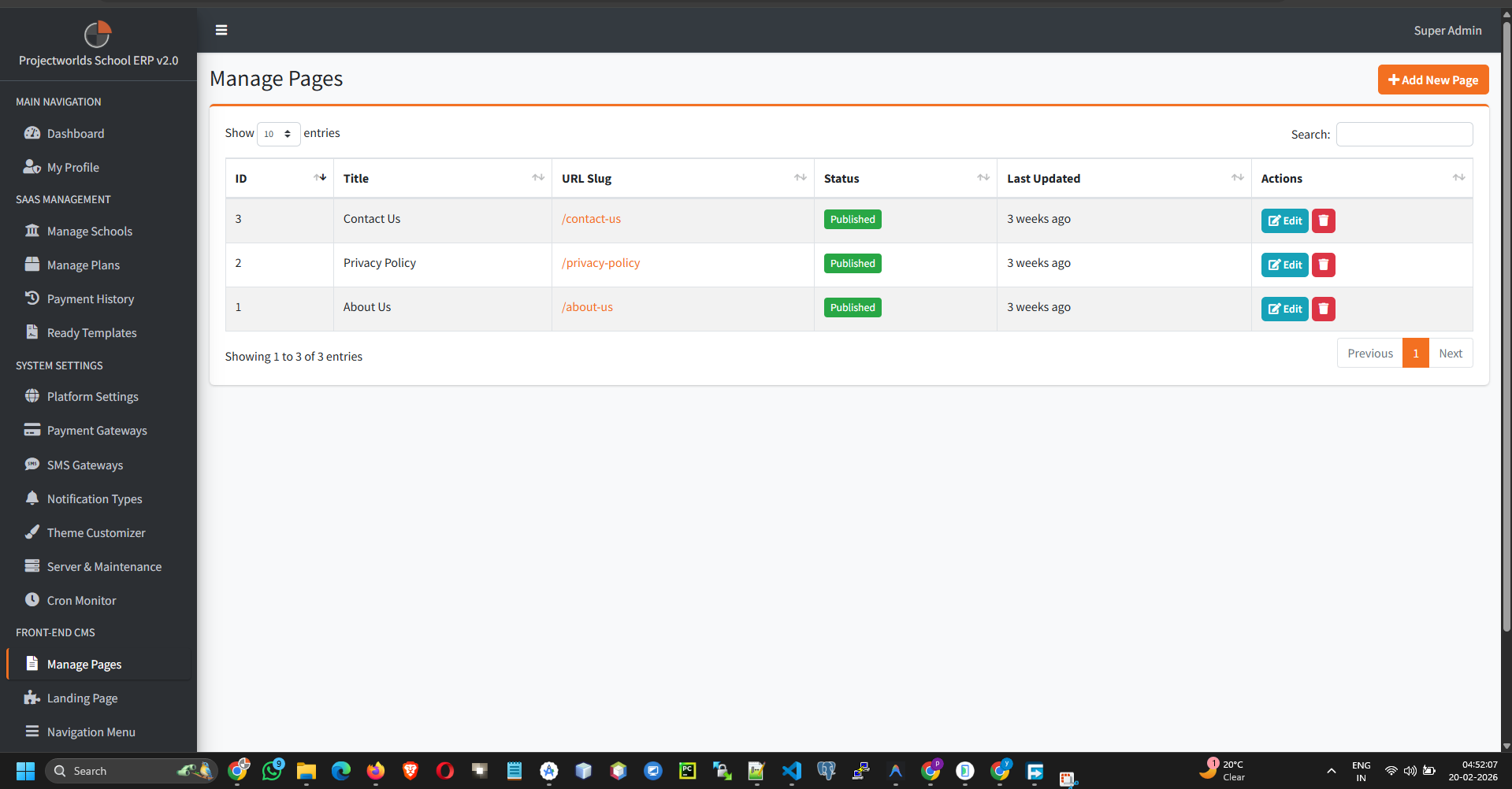
The system allows you to build pages using a rich text editor. This is useful for legal documents, FAQs, or blogs.
- Title: The page headline.
- Slug: The URL-friendly identifier (e.g.,
/terms-of-service). - Status: Published or Draft.
2. Creating a New Page
To add a standard page:
- Click the button.
- Fill in the fields:
- Title: The name of the page.
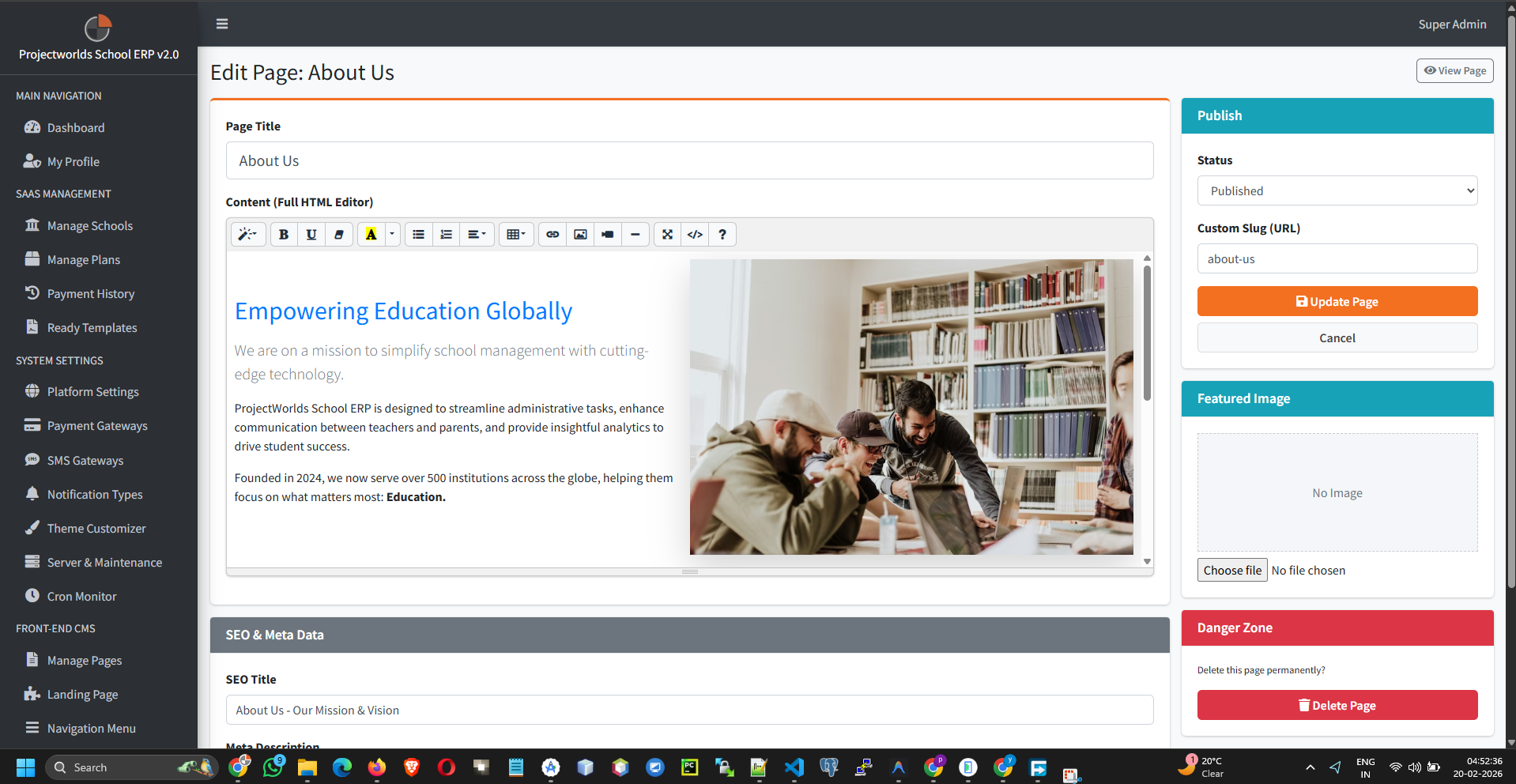
- Content: Use the WYSIWYG editor to format text, add images, and create links.
- SEO Meta Tags: Add meta title and description for search engines (Optional).
- Set Status to Active.
- Click Publish.
3. Editing & Deleting
To modify existing pages:
- Edit: Click the Update button to revise content.
- Delete: Remove obsolete pages. This action is irreversible.