Plans & Packages
Manage subscription plans that schools can purchase to access the platform. Define features, pricing, and duration.
Note: Plans dictate the capabilities available to a
school. Ensure you configure them carefully.
1. Available Plans Overview
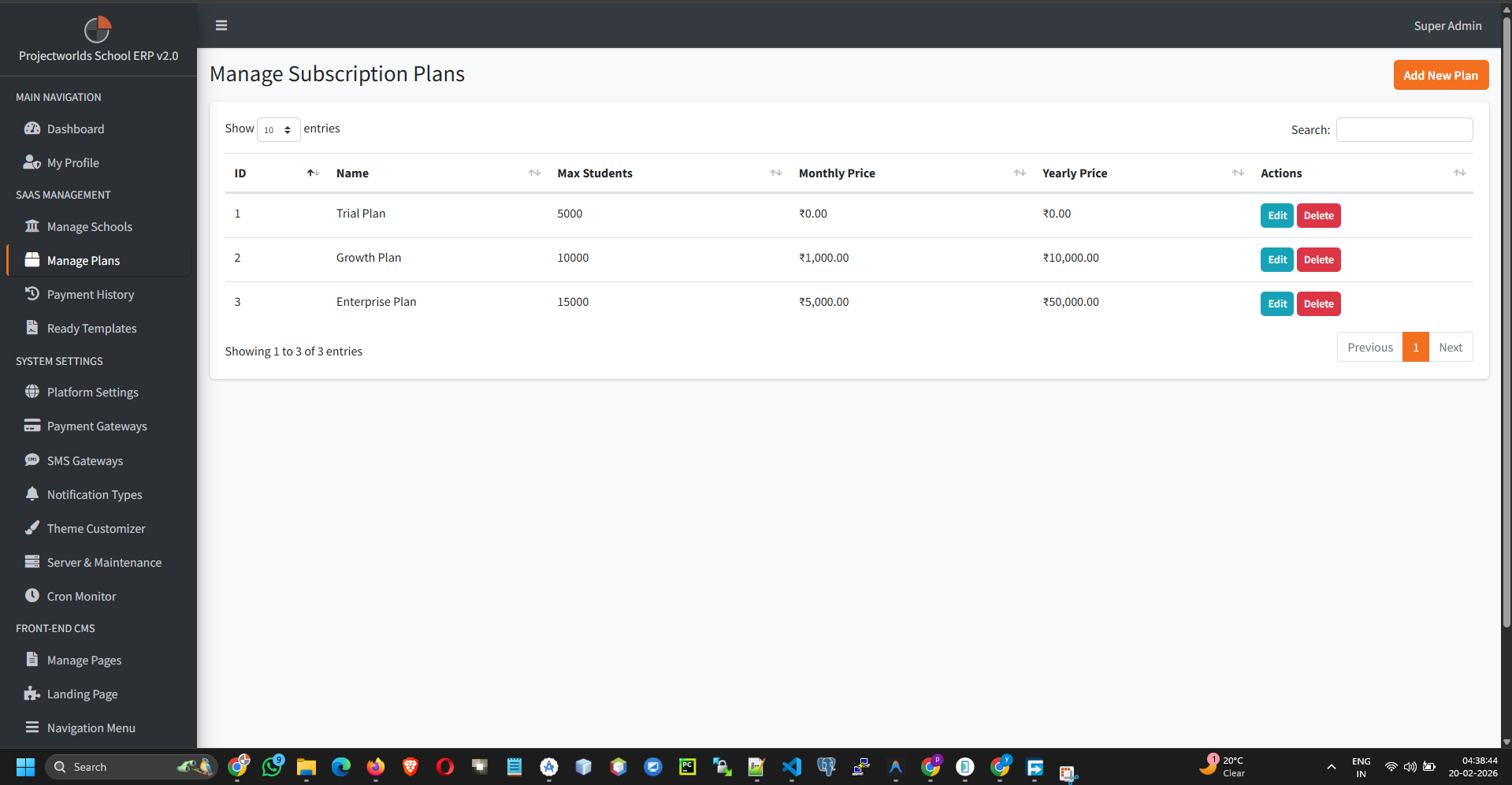
The main page lists all active and inactive subscription plans.
- Plan Name: (e.g., Basic, Standard, Premium)
- Price: Monthly or Yearly cost.
- Duration: How long the plan lasts (e.g., 30 days, 365 days).
- Status: Active or Inactive.
2. Creating a New Plan
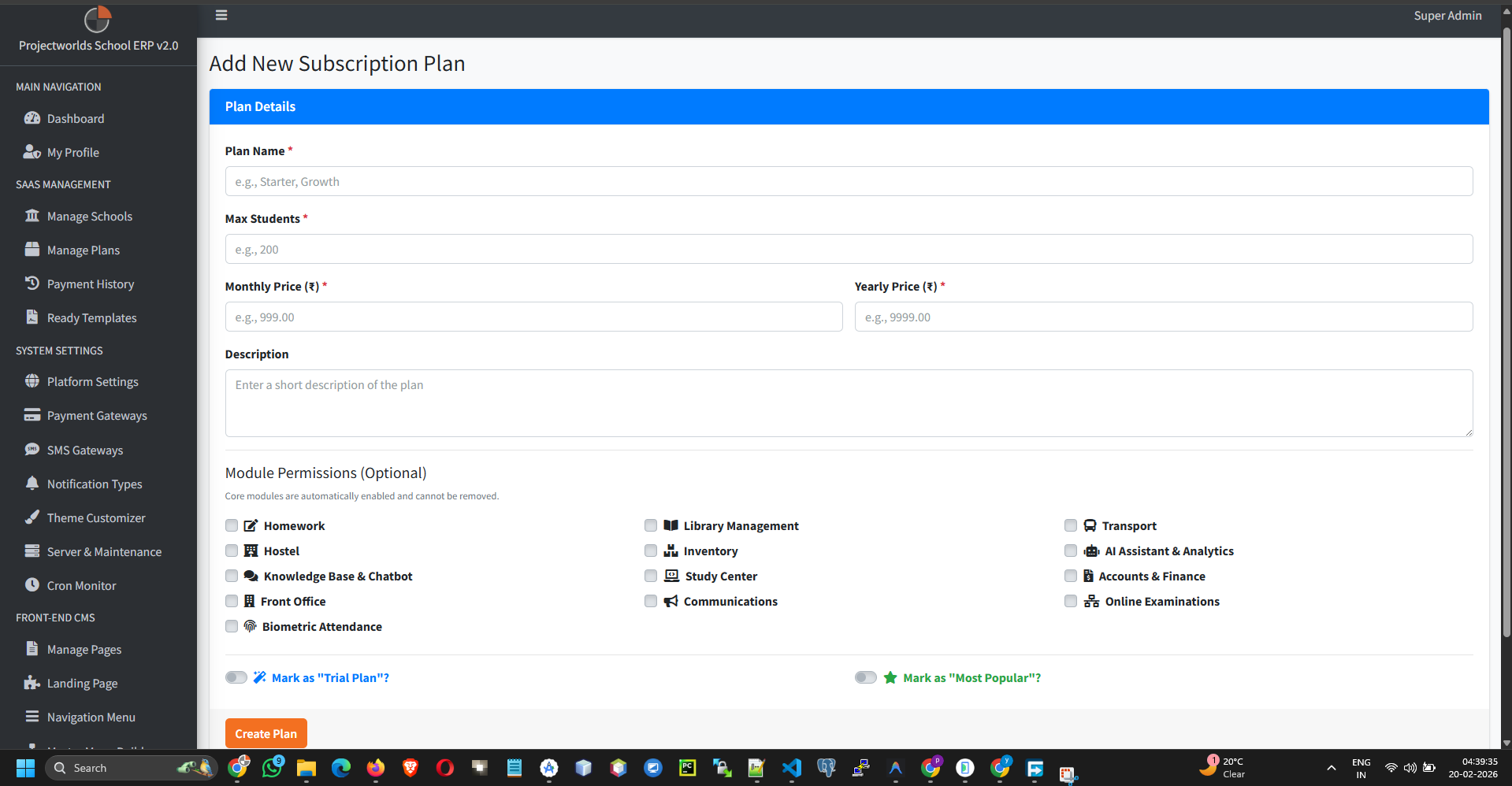
To create a new subscription tier:
- Click the button.
- Fill in the Plan Details:
- Name: Visible to schools.
- Description: Brief overview of benefits.
- Price: Cost in your currency.
- Duration (Days): Number of days valid (e.g., 30 for monthly).
- Enable Features: Toggle which modules are included in this plan (e.g., "Student Module", "Exam Module", "SMS Gateway").
- Set Status to Active.
- Click Save.
3. Editing a Plan
You can modify existing plans at any time:
- Find the plan in the list.
- Click the Edit icon.
- Update pricing, features, or duration.
- Click Update.
Important: Changes to a plan affect new
subscriptions only. Existing subscriptions remain on their original terms until renewal.
4. Deleting or Deactivating a Plan
If you no longer want to offer a plan:
- Deactivate: Use the toggle switch to make it unavailable for new purchases but keep it for reference.
- Delete: Click the icon to remove it entirely. ensure no active subscriptions are linked to it.