SMS Gateways
Configure SMS providers to send transactional messages (OTP, alerts, notifications) to users.
Note: SMS services usually incur per-message costs from
the provider.
1. Supported Providers
The system supports multiple SMS gateways, including:
- Twilio
- Clickatell
- Msg91
- Custom API (Generic HTTP)
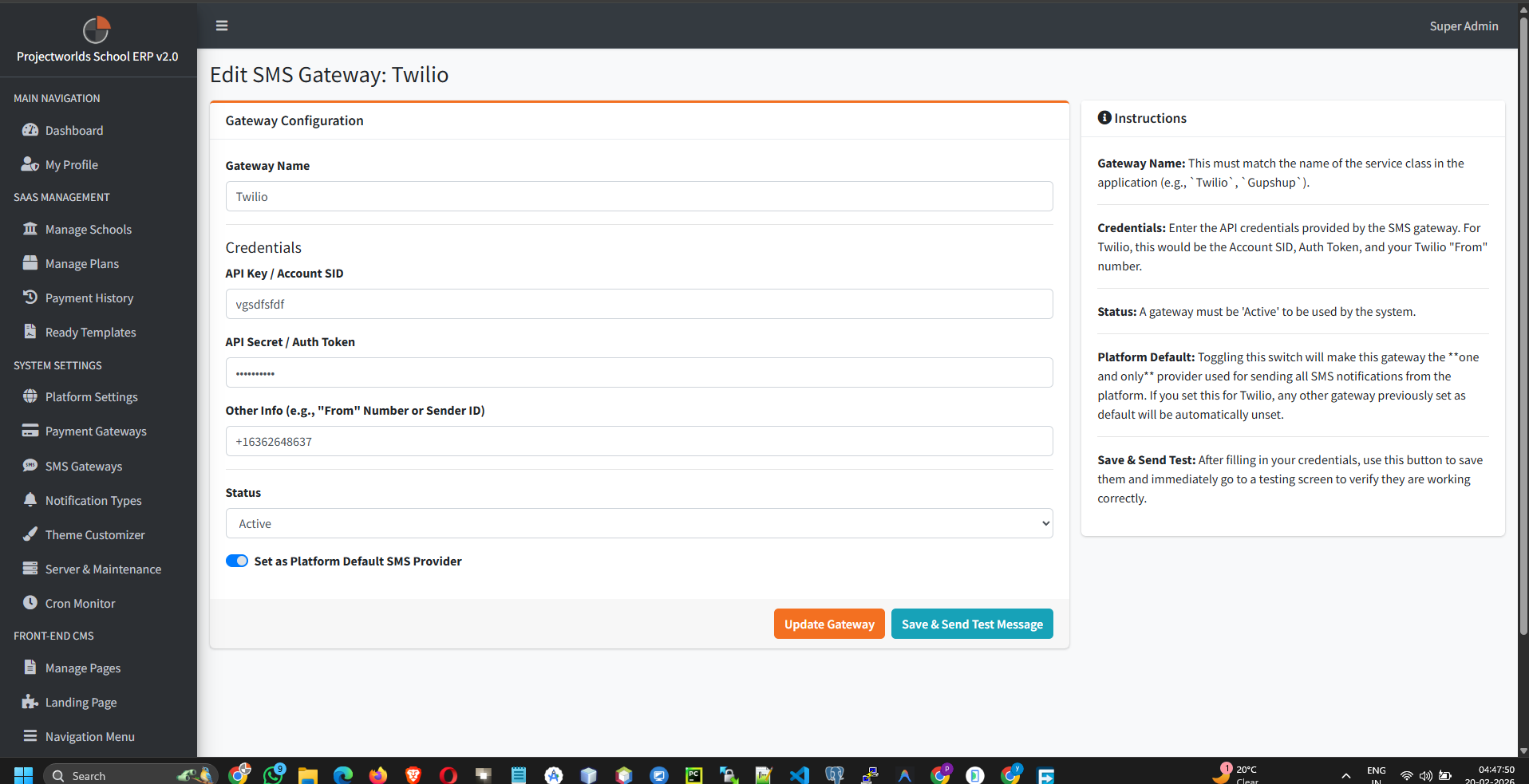
2. Configuring a Gateway
To set up an SMS provider:
- Select the desired provider from the list.
- Click Edit or Configure.
- Enter the required credentials:
- Account SID / Username: Provided by the SMS service.
- Auth Token / Password: Provided by the SMS service.
- Sender ID: The name or number messages will appear from.
- Status: Set to Active.
- Click Save.
3. Testing SMS Configuration
Ensure your integration works correctly:
- Go to the Test SMS section within the gateway settings.
- Enter a valid mobile number (with country code).
- Click Send Test Message.
- Verify receipt on the mobile device.
Troubleshooting: If SMS fails, check your credit
balance with the provider and ensure the Sender ID is approved.