School Admin Dashboard
Your command center for managing daily school operations. Gain immediate insights into attendance, financials, and inquiries.
Welcome! The dashboard aggregates critical data from
various modules to help you make informed decisions quickly.
1. System Sitemap (Full Feature List)
Explore the complete capabilities of the school management system.
Management
Front Office
Student Info
- Student Admission
- Student List
- Student Attendance
- Behavior Records
- Student Houses & Categories
- Disabled Students
Human Resource
- Staff Directory
- Staff Attendance
- Payroll & Salary
- Leave Management
- Departments & Designations
Examinations
Offline Exams
Online Exams
Study Center
- Manage Syllabus
- Homework & Assignments
- Live Classes
- Study Materials
Knowledge Base & AI
- AI Chatbot
- KB Articles & Categories
Operations & System
Inventory
Transport
2. Key Metrics Overview
The top section displays four essential counters:
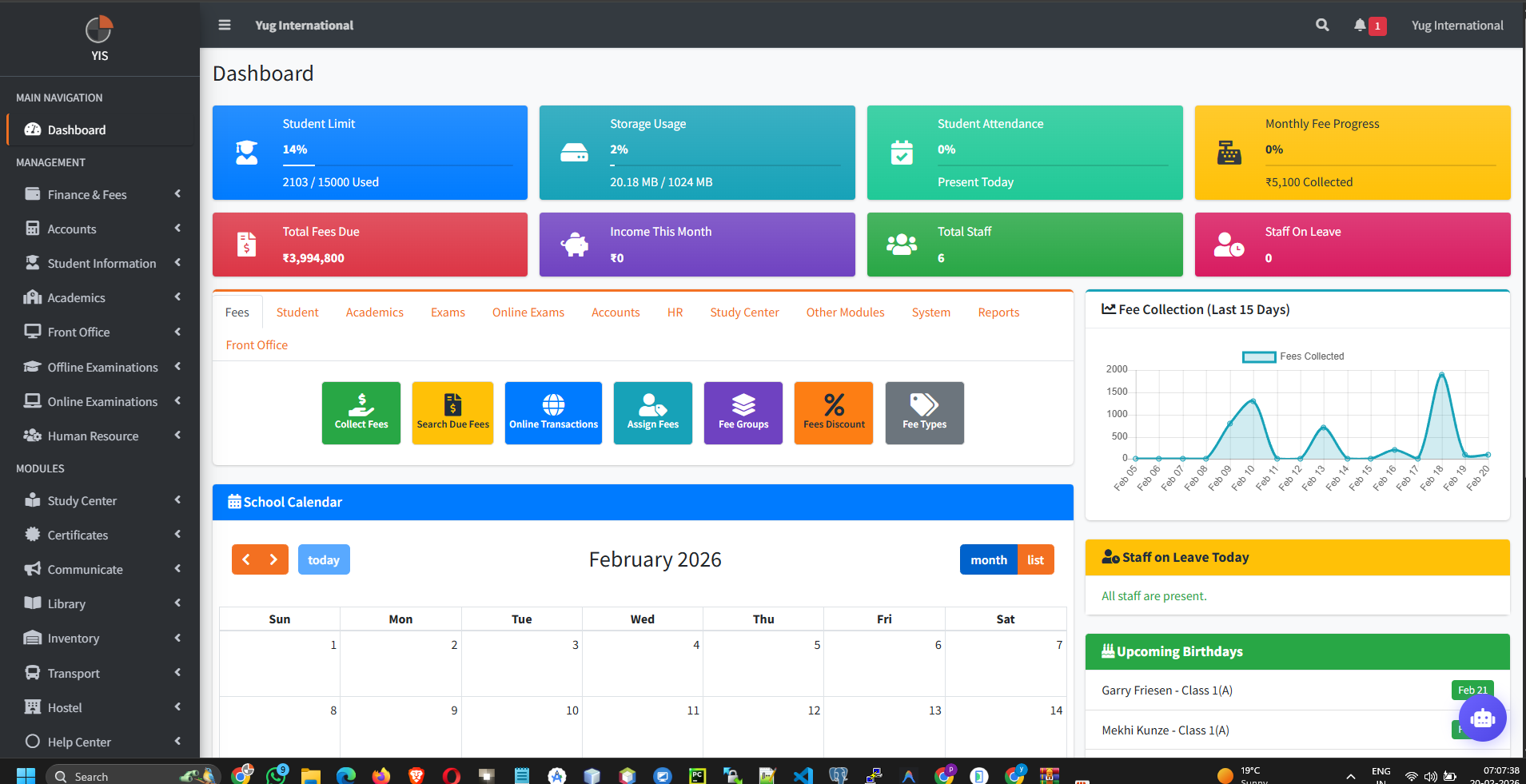
- Total Students: Active student count.
- Total Teachers: Number of teaching staff.
- Monthly Fees Collection: Total fees collected in the current month.
- Pending Fees: Total outstanding dues from students.
3. Real-Time Charts
Visual representations of your school's performance:
- Income vs. Expense: A bar chart comparing financial inflow and outflow for the last 12 months.
- Student Attendance: A pie chart showing present, absent, and late percentages for today.
Tip: If the attendance chart is empty, ensure class
teachers have submitted attendance for the day.
4. Calendar & Events
The interactive calendar shows upcoming events, holidays, and examination schedules.
- Click on a date to view detailed event information.
- Events can be managed via the Communication module.
5. Recent Activities
A log of recent actions taken within the system (e.g., "Student Admission", "Fee Collected"). This helps in auditing daily operations.
Do's and Don'ts
| Do's | Don'ts |
|---|---|
| Check the "Pending Fees" widget daily to identify collection lag. | Ignore the "Recent Activities" log; it helps identify unauthorized actions. |
| Review the Event Calendar to prepare for upcoming holidays or exams. | Share your admin password with other staff members. Use separate accounts. |